Quick answer
Both apps play the playlists or Xtream Codes logins you get from your own provider, and neither includes any channels. The right choice mostly depends on the device you watch on, as of November 2026.
- iPhone, iPad or Apple TV: pick IPTV Smarters (Smarters Pro). HHPlayer has no Apple mobile or Apple TV app.
- Linux, or a Mac, Windows PC, Android TV, Fire TV or Android phone: HHPlayer covers all of them, and it is free with no in-app purchases.
- Samsung or LG TV: Smarters lists Samsung as available. HHPlayer is coming soon on both, so it is not an option yet.
What each app is
Smarters Pro is made by Tech Smarters (smarterspro.com). Its site describes it as an OTT and media player that supports M3U and JSON playlists. It is the current app behind the "IPTV Smarters" name, and it has a large Android audience: its Google Play listing for Android TV shows 5M+ downloads and in-app purchases, and the phone version shows 1M+ downloads, also with in-app purchases.
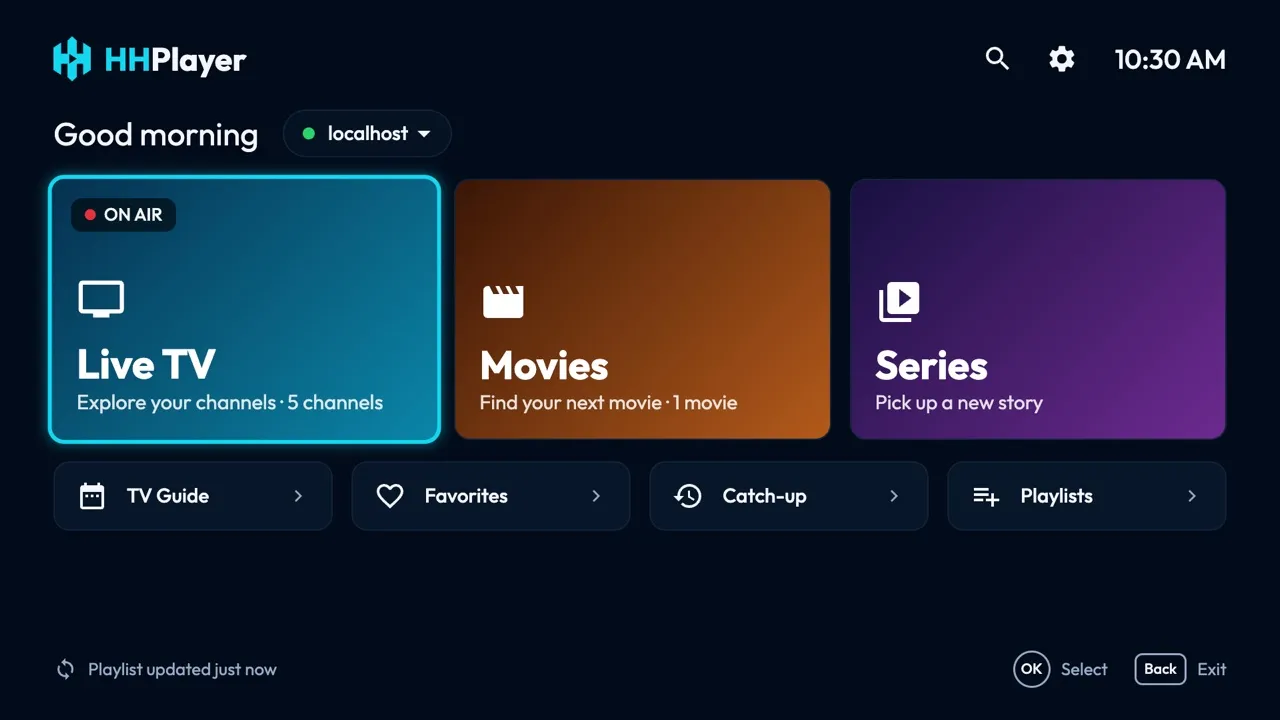
HHPlayer is a free player for the same kind of playlist. It has no ads, no account and no in-app purchases, and your playlists and viewing history stay on your device. It is built around the TV remote and runs on low-end TVs and sticks, with versions for desktop and Android phones too.
Watch out for look-alikes
Searching for "IPTV Smarters" in an app store returns many similar names from unrelated developers. Before installing, check that the developer is Tech Smarters. Smarters also offers a white-label platform that lets businesses brand the app, which is one reason apps from different providers can look almost identical.
A note on older listings: the older "IPTV Smarters Pro" Google Play page returned "not found" when we checked in November 2026, so use the current Smarters Pro listing from the developer's website.
Platforms side by side
Platform support is where the two apps differ most, and where honesty matters: each one is missing something the other has.
| Platform | HHPlayer | IPTV Smarters (Smarters Pro) |
|---|---|---|
| Android phones and tablets | Yes (Google Play or APK) | Yes |
| Android TV / Google TV | Yes (Google Play or APK) | Yes |
| Fire TV | Yes (APK via Downloader) | Not confirmed by us |
| iPhone and iPad | No | Yes |
| Apple TV | No | Yes |
| Mac | Yes (macOS 14 or later) | Listed as beta |
| Windows | Yes (Windows 10 or 11) | Listed as beta |
| Linux | Yes (AppImage) | No |
| Samsung TV | Coming soon | Yes |
| LG TV | Coming soon | Coming soon |
| Browser | No | Web player |
Smarters' site lists the Windows and macOS apps as version 1.0 beta. The full list of HHPlayer downloads is on the platforms page.
Features side by side
On paper the two overlap a lot. This is what each publisher lists today.
| Feature | HHPlayer | IPTV Smarters |
|---|---|---|
| M3U playlists | Yes | Yes |
| Xtream Codes login | Yes | Listed on its Samsung store page |
| TV guide (EPG) | Full guide grid from XMLTV data | Yes |
| Catch-up / restart | Yes, when the provider offers an archive or timeshift | Catch-up listed on its Samsung store page |
| Several playlists | Yes, refreshed automatically | Yes |
| Parental control | Parental lock | Yes |
| Two things at once | Second channel in a corner window on Mac, Windows, Linux and Android phones/tablets | Multi-screen and picture-in-picture |
| Chromecast | Not listed | Yes |
| Search | Channels, movies and series | "Master search" across movies, series and live TV |
| Audio and subtitle choice | Remembered for the next channel | Language switching |
Smarters lists a few things HHPlayer does not, such as Chromecast and multi-user profiles. HHPlayer's focus is a fast, simple player on the TV remote, a guide grid, and a corner window for a second channel on desktop and phones. Details are on the features page.
Price, accounts and privacy
Price. HHPlayer is free, with no ads and no in-app purchases. Both Smarters Pro listings on Google Play state that the app contains in-app purchases. We have not verified what they cost or which features they unlock, so check the current store listing before you decide.
Accounts and data. HHPlayer needs no account. Your playlists and viewing history stay on your device; the privacy policy covers anonymous install counting. For how Smarters Pro handles data, read its own privacy policy and store listing.
Content. Neither app includes channels, movies or subscriptions. You need a provider you are entitled to use.
Which one should you choose?
- You watch on an iPhone, iPad or Apple TV: Smarters Pro, because HHPlayer is not available there.
- You have a Samsung TV today: Smarters is listed in the Samsung store. HHPlayer is coming soon.
- You use Linux: HHPlayer. Smarters has no Linux app.
- You want a desktop player on Mac or Windows: HHPlayer is a regular release, while Smarters lists its desktop apps as beta. Read the Mac guide to compare.
- You want a free app with no purchases: HHPlayer.
- You need Chromecast or a browser player: Smarters lists both.
- You use an Android TV box or Fire TV: try HHPlayer free alongside it; see the Android TV guide.
Choose by device first. If you are on Apple mobile or Apple TV, use Smarters Pro. If you are on Linux, Mac, Windows, Android or Fire TV, HHPlayer is a free alternative to IPTV Smarters that is easy to test.
How to switch or try both
You do not need a new subscription. Your provider's details work in any player, so you can install HHPlayer next to Smarters and compare them on the same playlist.
- Find what your provider gave you: an M3U link, or a server URL with a username and password (an Xtream Codes login). Our M3U vs Xtream Codes guide shows how to tell.
- Install HHPlayer from the platforms page.
- Add the same M3U link or Xtream login in HHPlayer.
- Check the guide and catch-up. Both depend on what your provider supplies; see TV guide and catch-up explained.
No provider yet? Add the public demo playlist (https://hhplayer.app/demo.m3u) to see how HHPlayer behaves. Facts about Smarters come from its website and store listings as of November 2026, and can change.
Questions and answers
Is HHPlayer an alternative to IPTV Smarters?
Yes, for the same job: playing the M3U playlist or Xtream Codes login from your own provider. HHPlayer runs on Mac, Windows, Linux, Android TV, Android phones and Fire TV, but not on iPhone, iPad or Apple TV, where Smarters is available.
Is IPTV Smarters free?
Both Smarters Pro listings on Google Play state that the app contains in-app purchases. We have not verified the prices, so check the current store listing. HHPlayer is free, with no ads and no in-app purchases.
Which developer makes the real IPTV Smarters app?
The current app is Smarters Pro by Tech Smarters (smarterspro.com). Many look-alike apps with similar names come from unrelated developers, so check the developer name before installing.
Can I use the same playlist in HHPlayer and IPTV Smarters?
Yes. Your M3U link or Xtream login works in any player, so you can install both and compare them. Check your provider's limit on simultaneous connections.
Does HHPlayer work on Samsung or LG TVs?
Not yet: both versions are coming soon. Until then, use an Android TV or Fire TV device, or a player listed in your TV's store.