Quick answer
As of November 2026, HHPlayer for LG TV is coming soon to the LG Content Store and is not available yet. We would rather say that plainly than send you looking for an app that is not there. If you need a player on your LG TV today, the options verified for this article are Smart IPTV (a paid activation), SS IPTV, and, once it is released for LG, Smarters Pro, which its maker lists as "coming soon" on webOS.
HHPlayer is a media player and includes no channels, movies or series. You add a playlist or login from a provider you are entitled to use.
What to look for in an IPTV player on LG webOS
- Your playlist type. Check whether you have an M3U link or Xtream Codes details (server, username, password). See M3U vs Xtream Codes if you are unsure.
- How you enter the playlist. Typing a long URL with a TV remote is painful. Some players make you upload the playlist on the vendor's website instead.
- A real TV guide (EPG) and catch-up, if your provider offers them. See TV guide and catch-up explained.
- Remote friendliness. Channel number keys, the Magic Remote pointer and fast zapping matter more on a TV than a long feature list.
- Price and model. One-off activation, in-app purchases or free: know what you are paying for.
- Store availability. webOS apps come only from the LG Content Store. You cannot install an APK on an LG TV, and which apps appear can depend on your region.
The players compared
HHPlayer (coming soon on LG)
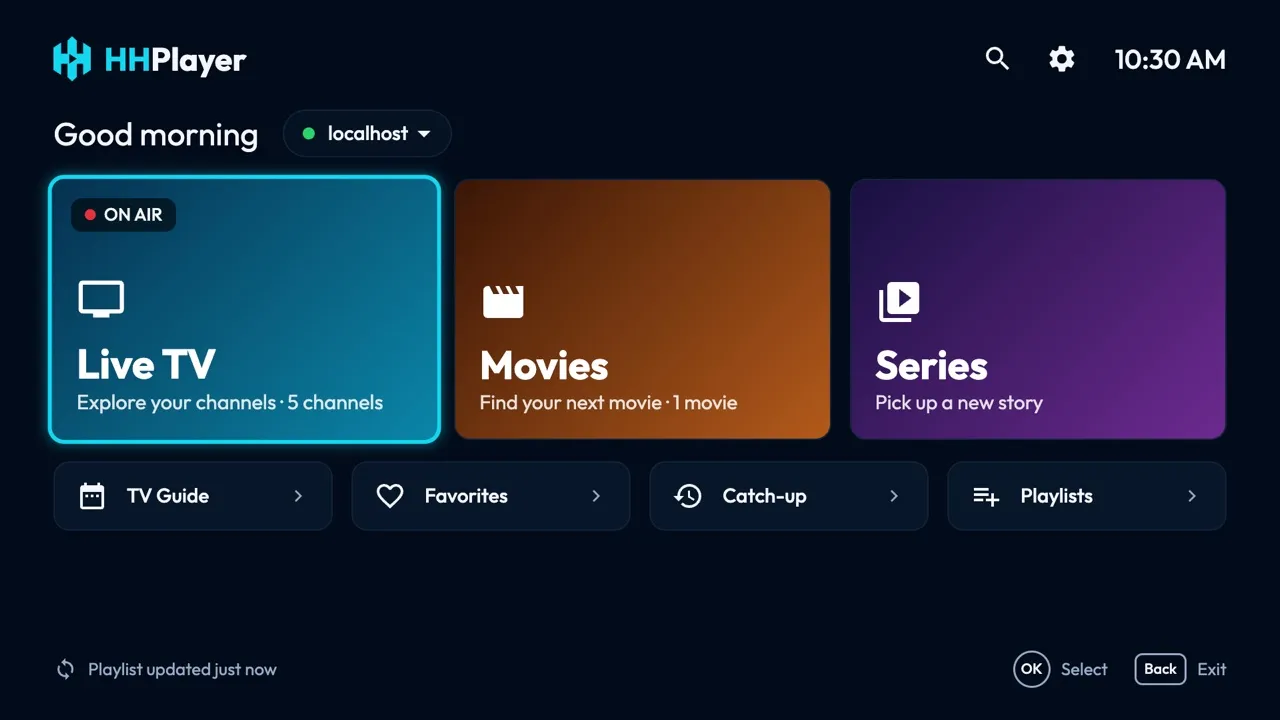
HHPlayer is free, with no ads, no account and no in-app purchases; playlists and viewing history stay on the device. It accepts M3U links and Xtream Codes logins and offers live TV with categories and favorites, a full TV guide grid from your provider's XMLTV data, catch-up and restart when the provider supports it, movies and series with resume and next-episode autoplay, search across everything, several playlists and a parental lock. It is built for the TV remote and for lower-end TVs. The LG version targets webOS 4.0 and later (2018 TVs and newer) and is not yet in the store; see the LG page.
Smart IPTV (SIPTV)
According to its official site, Smart IPTV publishes builds for LG webOS 3.0 and later (version 3.1.3 dated July 2026). It costs a one-off 5.49 EUR per TV, and no channels are included. You add an M3U playlist by uploading it on the vendor's website, tied to your device, rather than typing it on the TV. The release notes mention channel search and an EPG. It suits people with an M3U link who accept paying for activation.
SS IPTV
SS IPTV describes itself as the first app of LG Smart World. Its site lists operator playlists, a playlist editor, a viewing scheduler and a link to an external TV guide, and mentions no activation fee. We could not confirm its current store listing or whether it handles Xtream Codes, so check the Content Store on your TV before counting on it.
Smarters Pro
Smarters Pro, by Tech Smarters, is a widely used name in this space. Its site lists parental control, multiple playlists, an EPG, picture-in-picture and a search across live TV, movies and series, plus apps for Android, Android TV, iPhone, iPad, Apple TV, Windows, macOS and Samsung. LG is marked "coming soon". Read our HHPlayer vs IPTV Smarters comparison, and note that Google Play and app stores show many look-alikes from unrelated developers.
Comparison table (November 2026)
| App | On LG today | Price | Playlists | TV guide |
|---|---|---|---|---|
| HHPlayer | Coming soon | Free, no ads | M3U, Xtream Codes | Full grid, catch-up if supported |
| Smart IPTV | Yes (webOS 3.0+) | 5.49 EUR per TV | M3U, uploaded on the vendor site | EPG mentioned in release notes |
| SS IPTV | Listing not verified | No fee on its site | Own playlist tools; Xtream not verified | Link to an external guide |
| Smarters Pro | Coming soon, per its maker | Not verified | M3U and JSON per its site | EPG listed |
How to install an IPTV player on an LG TV
- Press the Home button on the remote and open the LG Content Store.
- Search for the app by name. If it does not appear, it may not be offered in your region, and webOS has no way to install an APK file.
- Choose Install, then open the app.
- Add your playlist: an M3U link, or the Xtream Codes server, username and password from your provider. Some apps give you a code to enter on their website.
- Wait for the channels to load, then open the guide and add favorites.
Want to test an app without a provider? Use our demo playlist on a phone or computer first.
Our verdict
If you want to watch on LG today, Smart IPTV is the verified option, with a paid per-TV activation and an upload-based setup. If you can wait, HHPlayer for LG will be a free player with a full TV guide and no ads. Until it is listed, you can already use the same app on Android TV, Fire TV, Mac and Windows. Also see the Samsung TV guide.
Prices and availability change; check the store listing for current details. HHPlayer includes no content: use a playlist from a provider you are entitled to use.
Questions and answers
Is HHPlayer available on LG TV?
Not yet. HHPlayer for LG (webOS 4.0 and later, 2018 TVs and newer) is coming soon to the LG Content Store. See the LG page for updates.
Can I install an APK on an LG TV?
No. LG TVs run webOS, which installs apps only from the LG Content Store. APK files are for Android-based devices such as Android TV or Fire TV.
Is IPTV legal?
An IPTV player is legal software. Whether watching is legal depends on the content and your provider. HHPlayer includes no content, so use a playlist from a provider you are entitled to use.
Do I need M3U or Xtream Codes on LG?
Either works with most players. M3U is a playlist link, Xtream Codes is a server login that also loads the guide and catch-up. See M3U vs Xtream Codes.
Is HHPlayer free?
Yes. HHPlayer has no ads, no account and no in-app purchases, and your playlists stay on your device.